How to use Claude SEO skills


On this page
A Claude SEO skill is a skill that gives Claude, Anthropic’s AI model, a repeatable search engine optimization (SEO) task. SEO is the work of getting a site found in search. Anthropic calls the format Agent Skills. A skill is a folder with a SKILL.md file of instructions, plus optional scripts and resources, that Claude loads when a task matches it. Skills run in the Claude apps, in Claude Code and through the Claude API. Claude Code is Anthropic’s coding tool, and it runs in a terminal, the desktop app or a code editor. The API is the interface developers use to call Claude from their own code.
Readers new to AI tools that take actions can start with What is an AI agent?. Claude for SEO and AEO has the other Claude guides, including How Claude searches the web and cites sources.
A Claude skill is a folder Claude loads on demand
A Claude skill is a folder of instructions, scripts and resources that Claude finds and loads when a task calls for it. Anthropic’s post on Agent Skills introduced the format in October 2025.
Every skill needs a SKILL.md file. The file opens with frontmatter, a short settings block between two lines of three dashes. The frontmatter needs a name and a description, and Claude’s instructions follow below it.
The Agent Skills overview sets the rules for both fields. The name can use only lowercase letters, numbers and hyphens, up to 64 characters, and it can’t contain “claude” or “anthropic”. The description can run to 1,024 characters, and neither field can hold XML tags.
A skill folder can also hold reference files and a scripts folder. Claude reads a reference file only when the task needs it. When Claude runs a script, only the script’s output enters the conversation.
How does Claude decide when to use a skill?
Claude decides to use a skill by matching your request against each installed skill’s description. Claude loads every skill’s name and description at startup and reads the full SKILL.md only when a request matches.
Anthropic calls this progressive disclosure, and it keeps unused skills from filling Claude’s context, the text Claude holds in view during a conversation. The description has to say what the skill does and when to use it, because that text is all Claude sees before it decides.
Drag a folder, or use its arrows, to turn it and see its other sides.
Find the duplicate titles in this crawl export.
title-checkMatches the request
Checks page titles in a crawl export CSV for missing, duplicate and long titles. Use when the user shares a crawl export and asks about page titles or title tags.
SKILL.md read in full
SKILL.md
It holds the 5 title-check steps.
scripts/
This skill has no scripts folder.
Reference files
This skill has no reference files.
Name and descriptionschema-review
Reviews the structured data on a page for missing fields. Use when the user asks about structured data.
Name and description only
SKILL.md
It holds the steps for a structured data review.
scripts/
This skill has no scripts folder.
reference.md
Claude opens it only when a review needs it.
Name and descriptionmonthly-report
Turns a monthly data export into a report with a fixed layout. Use when the user shares a monthly export.
Name and description only
SKILL.md
It holds the report layout and the steps to fill it.
scripts/
Claude runs the script and sees only its output.
Reference files
This skill has no reference files.
Name and description
In Claude’s context
title-checkname and descriptionschema-reviewname and descriptionmonthly-reportname and descriptiontitle-checkSKILL.md in full
- Claude holds each skill’s name and description from the start.
- A request arrives.
- One description matches the request.
- Claude opens that folder and reads its SKILL.md in full.
The schema-review and monthly-report folders stay shut. Past their names and descriptions, nothing in them enters Claude’s context for this request.
How is a skill different from a prompt or an MCP server?
A skill stores a procedure Claude can reuse across conversations. A prompt is the set of instructions you type in one conversation. An MCP server is a program that connects Claude to outside tools and data through the Model Context Protocol, an open standard.
| Skill | Prompt | MCP server | |
|---|---|---|---|
| What it gives Claude | A procedure to follow | Instructions for the task at hand | A connection to tools and data |
| How long it lasts | Across conversations | One conversation | While it stays connected |
| What it contains | Instructions, code and files | Plain language | Tool definitions |
| When it loads | When a task matches | Each turn | Always available |
| Can include code | Yes | No | Yes |
The table follows Anthropic’s comparison of skills, prompts and MCP. Anthropic suggests using skills and MCP together, with MCP for the connection and a skill for the procedure. An SEO skill can pair with an MCP server that supplies the data. How to set up the Google Analytics MCP server in Claude shows one example.
Skills run in Claude apps, Claude Code and the API
Claude skills run in the Claude apps, Claude Code and the Claude API. As of November 2026, each of the 3 gets skills from a different place and gives them different network access.
| Where it runs | Where skills come from | Network access |
|---|---|---|
| Claude apps | Built-in skills and ZIP files you upload | Full, partial or none, set by user or admin settings |
| Claude Code | Folders on your computer and plugins | The same as any program on your computer |
| Claude API | Skills you upload and list in each request | None |
The Agent Skills overview says custom skills don’t sync across these surfaces. A skill uploaded to the Claude app has to be uploaded again to use it through the API, and the reverse holds too. Skills in the API also need Anthropic’s code execution tool, which provides the container they run in.
You install a skill in Claude Code or the app
You install a skill in Claude Code by adding its folder to a skills directory or by installing a plugin. In the Claude app, you upload the skill as a ZIP file.
How do you install a skill in Claude Code?
Claude Code loads any skill whose folder sits in a skills directory, so you can install one by copying its folder there. Claude Code’s skills docs give a personal location and a project location.
- A personal skill goes in
~/.claude/skills/<skill-name>/SKILL.mdand works in every project. - A project skill goes in
.claude/skills/<skill-name>/SKILL.mdand works in that project.
Community skills can also arrive as plugins. A plugin is a package that adds skills, agents, hooks and MCP servers to Claude Code. A marketplace is a catalog of plugins, and it can live in a GitHub repository. Claude Code’s plugin install docs give these steps.
- Add the marketplace with
/plugin marketplace add owner/repo. - Run
/plugin install plugin-name@marketplace-nameto open the plugin’s details. - Read the Will install list to see everything the plugin adds.
- Choose a scope to set whether the plugin applies to you everywhere, to everyone in this repository or to you in this repository.
- Type
/and look for the plugin’s skills, listed as/plugin-name:skill-name.
Anthropic’s example skills install the same way, with /plugin marketplace add anthropics/skills, according to the anthropics/skills repository on GitHub.
How do you add a skill in the Claude app?
You add a skill in the Claude app by uploading its folder as a ZIP file. Anthropic’s help center article on using skills lists skills on the Free, Pro, Max, Ultra, Team and Enterprise plans as of November 2026.
- Turn on Code execution and file creation in Settings > Capabilities. The newer Settings layout calls it Create and edit files.
- Name the skill folder the same as the skill, then package the folder as a ZIP file.
- Open Customize > Skills, click +, choose Create skill and then Upload a skill.
- Upload the ZIP file and switch the skill on.
On Team and Enterprise plans, an owner makes sure code execution is on under Organization settings > Plugins & skills. Skills are on by default for Team plans, and an Enterprise owner turns them on in the same place. A custom skill stays private until you share it.
Where do you find Claude SEO skills on GitHub?
Claude SEO skills are shared on GitHub as public repositories, and a repository set up as a marketplace installs with the plugin commands above.
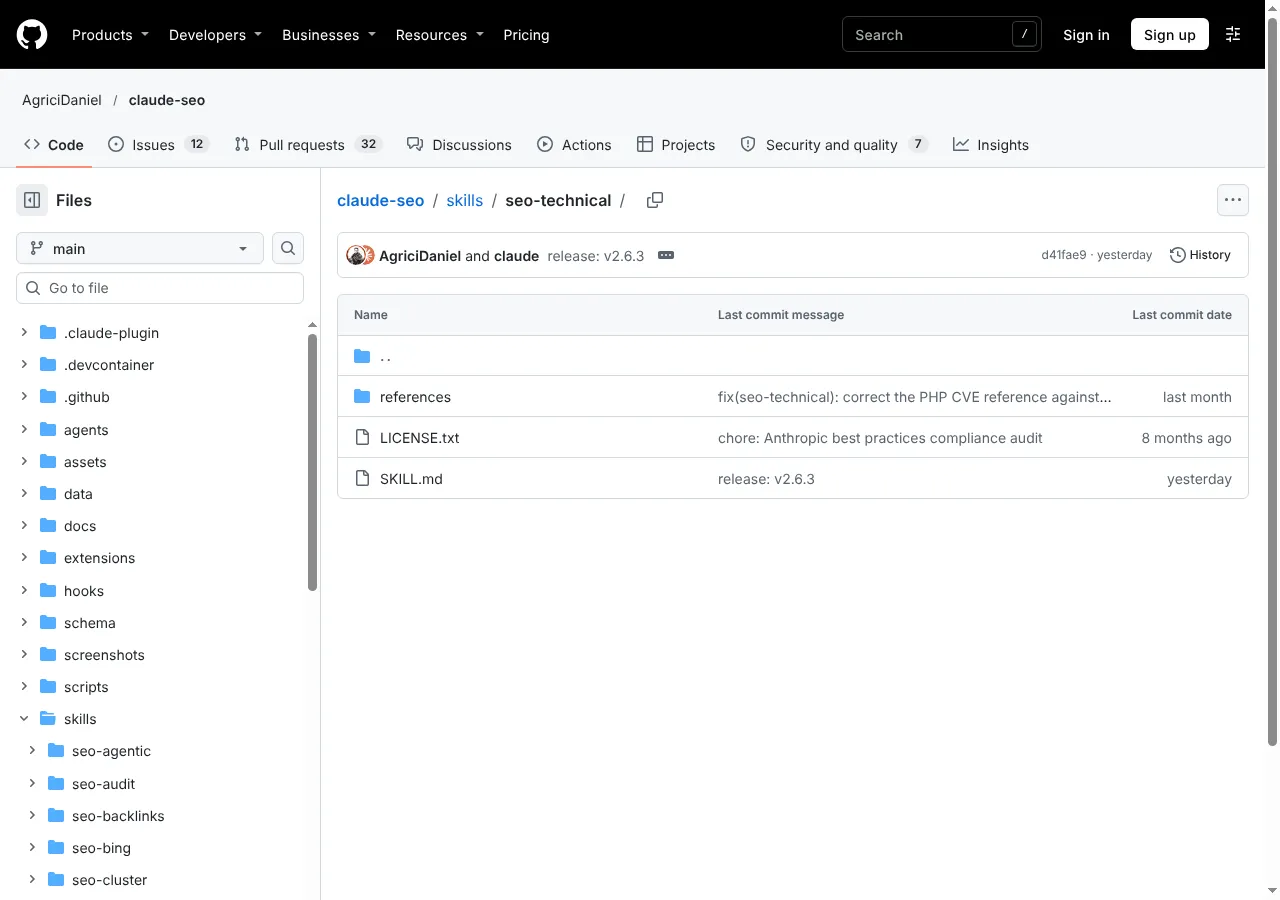
The claude-seo repository on GitHub is one community example. Its README describes it as “free, open-source SEO audits inside Claude Code” and lists commands such as /seo audit <url>, /seo technical and /seo schema. It installs with /plugin marketplace add AgriciDaniel/claude-seo and then /plugin install claude-seo@agricidaniel-claude-seo, according to its README as of November 2026. Claude Code treats it as a third-party marketplace, because it reserves Anthropic’s official and community marketplace names for repositories under github.com/anthropics.
Check a community skill before you run it
A community Claude skill can run code on your computer, so read SKILL.md and every bundled file before you install it. The Agent Skills overview says to use skills only from trusted sources, meaning skills you wrote yourself or got from Anthropic. It warns that a malicious skill can direct Claude to call tools or run code in ways that don’t match the skill’s stated purpose.
A Claude Code plugin “can execute arbitrary code on your machine with your user privileges,” according to Claude Code’s plugin security docs. Anthropic’s install warning says it doesn’t control what plugins include and can’t verify that they won’t change.
Is a community Claude skill safe to run?
A community Claude skill is safe to run when its files do only what its description says. Anthropic’s docs list what to check.
- Read SKILL.md for instructions that reach past the skill’s job, such as sending files or data somewhere else.
- Read every script, and look for network calls or file access the skill’s purpose doesn’t need.
- Check every web address the skill fetches, because fetched content can carry instructions of its own.
- In Claude Code, read the
allowed-toolsfield, because it lets Claude use the listed tools without asking you during the turn the skill runs. - For a plugin, read
hooks/hooks.jsonand.mcp.jsonto see each command it runs, because hooks run with your full user permissions. - Read the files again after an update, because an update can change what you reviewed.
SKILL.md
Audit the pages in the crawl export.These steps stay inside the skill’s job. This part passes.
SKILL.md frontmatter
allowed-tools: BashThe checklist line on the allowed-tools field covers this.
scripts/fetch.py
requests.post(REPORT_URL, data=rows)The checklist line on scripts covers this network call.
hooks/hooks.json
"command": "./bin/sync.sh"The checklist line on plugins covers this hook command.
.mcp.json
"command": "npx", "args": ["crawl-server"]The checklist line on plugins covers this server command.
The plugin and its files are invented for this figure. Each numbered part sits where the checklist above tells you to look.
Setup commands need the same read as a skill’s files. The claude-seo README says its /seo setup command creates its own Python environment and a headless browser, a browser that runs without a window. The same README tells readers to review its install script before running it.
Claude SEO skills fit audit work you repeat
A Claude SEO skill fits SEO work you do the same way each time, where the steps stay fixed and only the site changes. Anthropic’s comparison says a prompt you type again and again across conversations is a sign it should become a skill.
What can a Claude SEO skill do?
A Claude SEO skill runs the same checks or builds the same document each time. What it can work on depends on what it can reach. A skill in Claude Code can fetch live pages. A skill running through the API works only on the files you give it.
- A skill can check titles, meta descriptions and headings across a crawl export. A crawl export is the spreadsheet a crawler, a program that fetches web pages automatically, produces after scanning a site.
- A skill can review a page’s structured data, the code that labels a page’s content for search engines.
- A skill can turn a keyword list into a content brief in the same format every time.
- A skill can turn a monthly data export into a report with a fixed layout.
Pick a skill to see what it reads and where it can run.
The prompt you keep typing again and again
Titles, meta descriptions and headings
It reads a crawl export.
- In Claude Code
- It reads the export file and can also fetch the live pages.
- Through the API
- It works only on the export you give it.
Structured data review
It reads the structured data on a page.
- In Claude Code
- It can fetch the live page and read its structured data.
- Through the API
- It works only on page code you give it as a file.
Content brief
It reads a keyword list.
- In Claude Code
- It reads the keyword list from a file you name.
- Through the API
- It works only on the keyword list you give it.
Monthly report
It reads a monthly data export.
- In Claude Code
- It reads the export from a file you name.
- Through the API
- It works only on the export you give it.
How do you check a Claude SEO skill’s output?
You check a Claude SEO skill’s output by comparing each finding with the page or data file it describes before you act on it. The anthropics/skills repository says to test skills thoroughly in your own environment before relying on them for critical tasks. A language model writes from patterns it learned, and What is AI? explains why a fluent answer can be wrong.
- Run the skill on a few pages you know well.
- Open each page the skill flags and confirm the issue on the live page.
- Compare every count the skill reports with a count from the source file.
- Check each claim about how a search engine works against that search engine’s own documentation.
- List the issues you already know about on those pages, and check whether the skill found each one.
You can write a Claude SEO skill in one file
You can write a Claude SEO skill as one SKILL.md file in a folder, with a name, a description and the steps Claude should follow. This example checks page titles in a crawl export. Save it as ~/.claude/skills/title-check/SKILL.md to use it in Claude Code.
---
name: title-check
description: Checks page titles in a crawl export CSV for missing, duplicate and long titles. Use when the user shares a crawl export and asks about page titles or title tags.
---

# Title check

1. Read the CSV file the user names. Find the URL column and the title column.
2. List every URL with an empty title.
3. Group URLs that share the same title, and list each group.
4. List every title longer than 60 characters, with its length.
5. Give a count for each list. Quote the CSV values you used, and say which rows you couldn't read.
Change the 60-character limit to the length your team uses. Claude Code finds the folder with no upload. To use the same skill in the Claude app, zip the title-check folder and upload it.
Edit either field to see the frontmatter and the checks change.
SKILL.md frontmatter
---
name: title-check
description: Checks page titles in a crawl export CSV for missing, duplicate and long titles. Use when the user shares a crawl export and asks about page titles or title tags.
---
Claude Code folder~/.claude/skills/title-check/SKILL.md
All 7 checks pass.
Name
- The name is 11 characters, inside the 64-character limit.
- The name uses only lowercase letters, numbers and hyphens.
- The name leaves out the reserved words “claude” and “anthropic”.
Description
- The description is 162 characters, inside the 1,024-character limit.
- The description holds no tags in angle brackets.
- The description says when to use the skill.
- The description is written in the third person.
The checks follow the field rules in Anthropic’s Agent Skills overview and its best practices page. The when-to-use check looks for the word “when,” and the third-person check looks for words such as “I,” “you” and “we.” Read the description yourself as well.
The template in the anthropics/skills repository is a starting point for longer skills.
Frequently asked questions
Is claude-seo an official Anthropic skill?
No, the claude-seo repository is published under the AgriciDaniel account on GitHub, so it installs as a third-party marketplace. Claude Code reserves Anthropic’s official and community marketplace names for repositories under github.com/anthropics.
Can a Claude skill pull data from Google Search Console?
A Claude skill can work with data from Google Search Console, Google’s report on a site’s search performance, once that data reaches Claude. An MCP server or an export file you share can supply it. Anthropic describes MCP as the connection to data and a skill as the procedure for using it.
Do Claude skills work in both Claude Code and the Claude app?
Claude skills work in both Claude Code and the Claude app, and each takes them a different way. Claude Code reads skills from folders on your computer, and the Claude app takes a skill uploaded as a ZIP file. A custom skill doesn’t sync between them, so you add it to each one.
Do you have to type a skill’s name to use it?
You don’t have to type a Claude skill’s name, because Claude loads a skill when your request matches its description. In Claude Code, starting a message with /skill-name runs the skill directly.